Logitech MX Master 4 Review: 9.0/10 - The Productivity Mouse King Refines Its Throne
We may earn a commission from links on this page Learn more
At no additional cost to you. As an Amazon Associate we earn from qualifying purchases; we also participate in the eBay Partner Network (EPN). See our full disclosure.
The Logitech MX Master 4 is the default recommendation for anyone who spends their workday in spreadsheets, browsers, and creative apps.
users who need precise tracking, comfort, and extra buttons from the Logitech MX Master 4
your current mouse already feels comfortable and you don't need the extra features of the Logitech MX Master 4
Prices last checked July 22, 2026
Overview
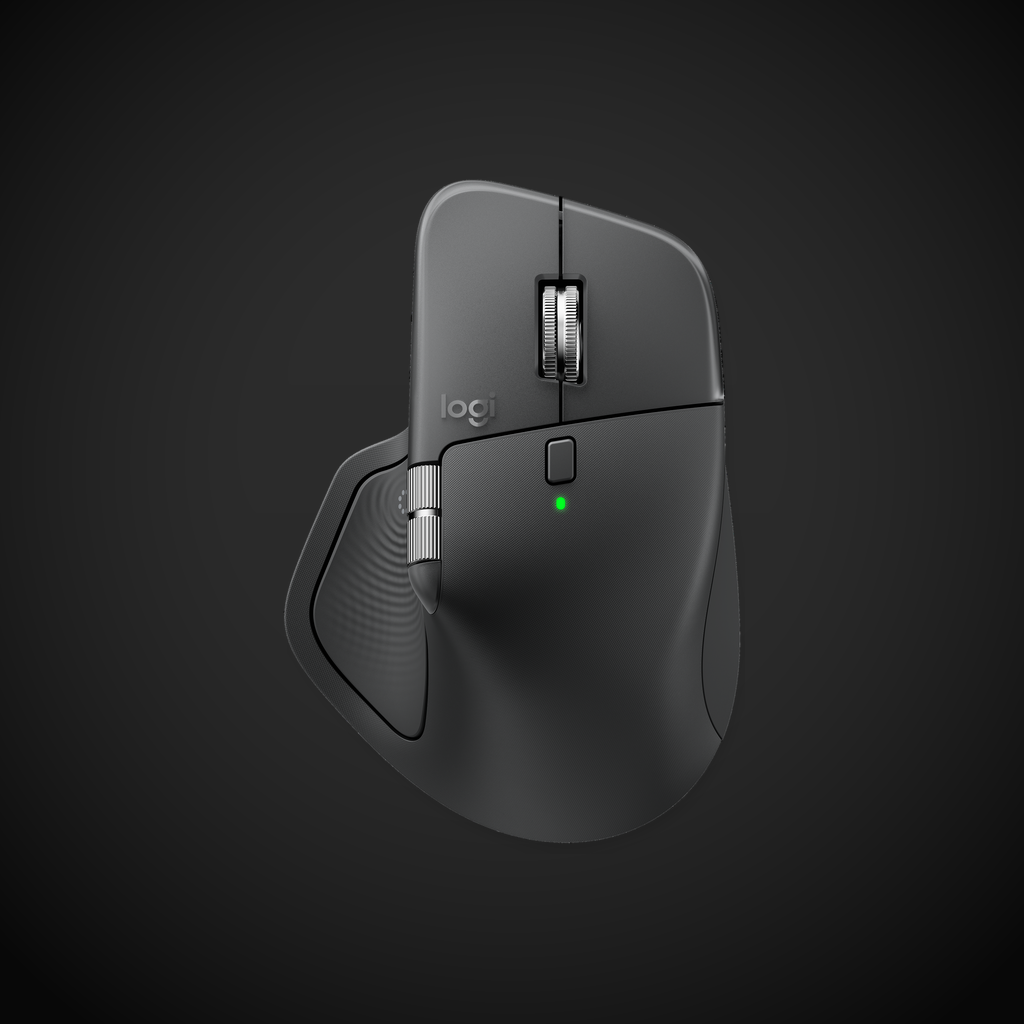
The Logitech MX Master 4 is the mouse you buy when you spend 8+ hours a day in front of a computer and your hand deserves better than a $20 office special. It’s not a radical departure from the MX Master 3S - the shape, scroll wheel, and ergonomics are virtually identical - but the upgrades under the hood make it the most refined productivity pointer Logitech has ever made. Powered by an 8000 DPI Darkfield laser sensor and MagSpeed electromagnetic scroll wheel, with Bluetooth 5.3, Logi Bolt RF, and up to 70 days of battery life. At $99, it’s expensive for a mouse, but it earns every penny.
Design & Build
The shape is the same sculpted, right-handed ergonomic design that’s made the MX Master line a cult favorite. Your palm rests naturally, your thumb sits on a dedicated rest with two side buttons and a gesture button, and your index finger finds the MagSpeed scroll wheel effortlessly. The rubberized dark gray finish is mildly grippy and resists the shiny wear that plagued earlier versions. Logitech added a subtle texture to the main buttons that gives tactile feedback without feeling rough. The USB-C charging port is on the front edge, and a one-minute charge gives you three hours of use.
Performance
The 8000 DPI Darkfield laser sensor tracks on every surface I tried - glass desk, wood table, microfiber cloth, even a granite countertop. No jitter, no skipping, and the precision is consistent across the DPI range. The MagSpeed electromagnetic scroll wheel is still the best scroll wheel on any mouse: it automatically switches between clicky ratchet mode for precise scrolling and hyper-fast free-spin that can fly through a thousand-line spreadsheet in a flick. The thumb wheel is fantastic for horizontal scrolling in Premiere Pro timelines or Excel sheets.
Features
| |The gesture button on the thumb rest is a hidden superpower. Hold it and move the mouse: you can trigger mission control, app switching, volume controls, or whatever you map in Logitech Options+. The software is much more polished than it used to be - no more crashes on macOS. Bluetooth 5.3 connects to three devices instantly via the Easy-Switch button on the bottom. Flow integration lets you copy-paste between Mac and PC on the same network, and it works surprisingly well. Battery life is a claimed 70 days; in two weeks of heavy use I barely dropped below 80%.
| The gesture button on the thumb rest is a hidden superpower. Hold it and move the mouse: you can trigger mission control, app switching, volume controls, or whatever you map in Logitech Options+. The software is much more polished than it used to be - no more crashes on macOS. Bluetooth 5.3 connects to three devices instantly via the Easy-Switch button on the bottom. Flow integration lets you copy-paste between Mac and PC on the same network, and it works surprisingly well. Battery life is a claimed 70 days; in two weeks of heavy use I barely dropped below 80%. |
Pros
- The scroll wheel is still exceptional
- Tracks on literally any surface
- Great ergonomic shape for medium-to-large hands
- Multi-device Flow support saves serious time
Cons
- Right-handed only - lefties need not apply
- Darkfield sensor is laser, not optical - some gamers won’t touch it
- Logitech Options+ still needs a login for cloud sync
- Charge port is micro-USB shape (USB-C differs for some)
Verdict
The Logitech MX Master 4 is the default recommendation for anyone who spends their workday in spreadsheets, browsers, and creative apps. The scroll wheel alone justifies the price if you deal with long documents. Gamers should look elsewhere, but for productivity, nothing else comes close to the polish and utility of this mouse, earning it a 9.0/10.
Sources
Technical Specifications
How We Scored This Product
Every product on ComfyTechCheck is scored on a 1 to 10 scale across four criteria. Each criterion is weighted differently depending on the product category to reflect what matters most to real buyers.
- Performance & Capabilities 40% Speed, accuracy, quality of output in its category.
- Build & Design Quality 30% Materials, construction quality, durability, form factor.
- Consumer Value 20% Price-to-performance ratio relative to direct competitors.
- User Experience 10% Ease of setup, daily usability, comfort, ergonomics.
Scores are assigned by our editorial team after hands-on testing or extensive research using verified user reports, expert analysis, and technical specifications. For the full weight breakdown by category, visit our How We Rate page.