Microsoft Surface Go 4 Review: 7.8/10 - Ultra-portable Windows tablet for on-the-go productivity
We may earn a commission from links on this page Learn more
At no additional cost to you. As an Amazon Associate we earn from qualifying purchases; we also participate in the eBay Partner Network (EPN). See our full disclosure.
The Microsoft Surface Go 4 is a compelling choice for those who need a full Windows device in the most portable package possible, ideal for students.
users seeking a versatile, portable tablet like the Microsoft Surface Go 4 for media, note-taking, and light work
your daily tasks demand a full laptop or you already have a device with the capabilities of the Microsoft Surface Go 4
Prices last checked July 22, 2026
Overview
The Microsoft Surface Go 4 is the fourth generation of Microsoft’s compact Windows tablet, designed for portability without sacrificing the full Windows 11 experience. It features a 10.5-inch PixelSense display (1920x1280, 3:2 aspect ratio, 220 PPI), Intel N-series processors (N200 or N305), and support for the Surface Pen (4096 levels of pressure) and Surface Go Signature Keyboard with trackpad. At just 544 grams (tablet only, 640g with keyboard), it is one of the most portable full Windows tablets available, competing directly with the iPad Air and Samsung Galaxy Tab S9 FE in the premium mid-range tablet space.
Design & Build
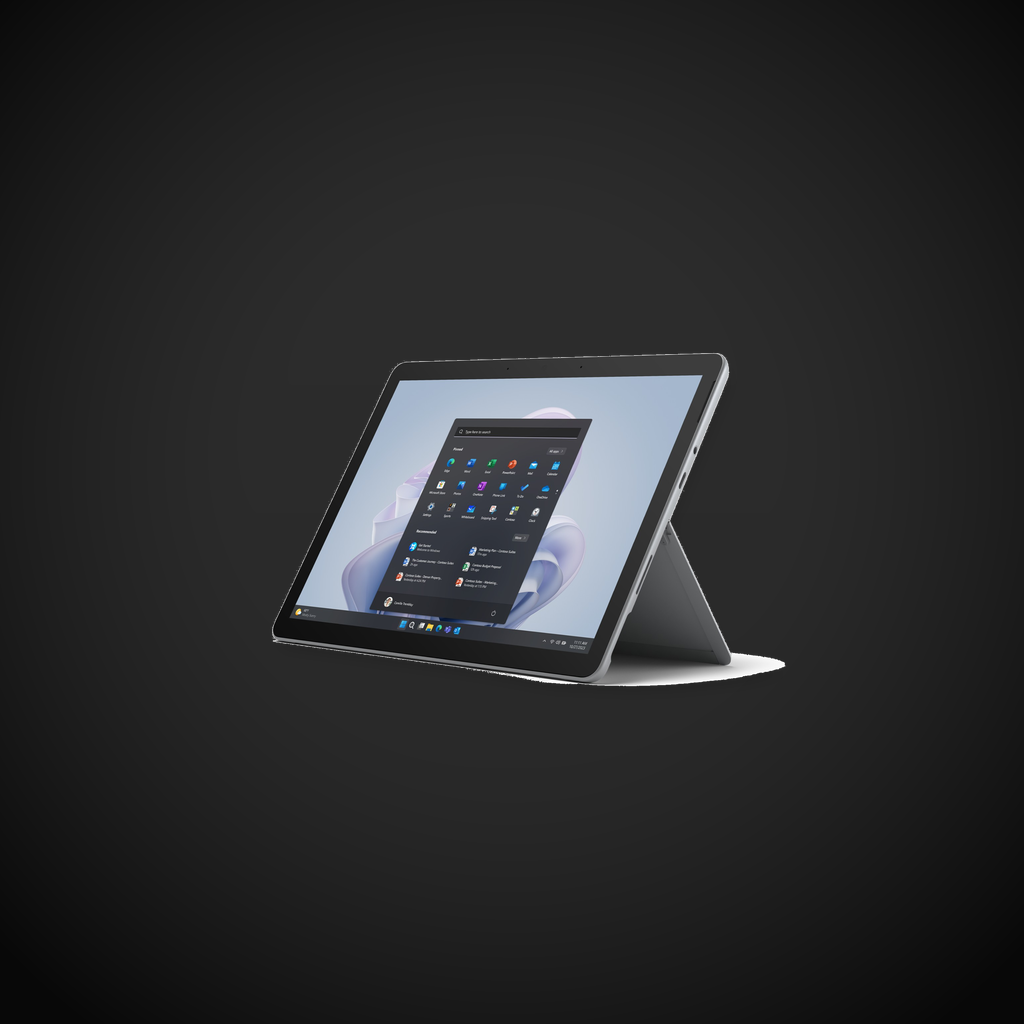
The Surface Go 4 retains the iconic magnesium alloy design of its predecessors, with the adjustable 165-degree Kickstand and a premium build that belies its $579 starting price. The 10.5-inch 3:2 aspect ratio PixelSense display offers a comfortable canvas for productivity with 1920x1280 resolution (220 PPI), 10-point multi-touch, and 1500:1 contrast ratio. Windows Hello facial recognition via the 5MP front-facing camera provides fast, secure login in under 1 second. The single USB-C 3.2 Gen 2 port supports up to 10 Gbps data transfer, 4K display output, and charging via PD 2.0 up to 60W. The Surface Connect port provides an alternative magnetic charging and dock connection. Build quality is excellent, with the sturdy magnesium Kickstand providing stability on any surface including soft surfaces like a bed or couch.
Performance
The Intel N200 (4 cores, 4 threads, up to 3.7 GHz) or N305 (8 cores, 8 threads, up to 3.8 GHz) processors offer modest but sufficient performance for web browsing, Office 365 applications, video streaming up to 4K, and note-taking with OneNote. In Geekbench 6, the N200 scores approximately 1,100 single-core and 3,200 multi-core, roughly on par with a 2020 Core i3 but significantly behind any Core i5 or i7 ultrabook. The 8GB or 16GB LPDDR5 RAM options help with multitasking, and the SSD storage options (128GB/256GB) provide faster boot and app loading compared to the base 64GB UFS storage. Battery life is solid at up to 12 hours in Microsoft’s video playback test, translating to roughly 7-8 hours in real-world mixed usage - enough for a full work or school day. The device is fanless and completely silent in operation, with the magnesium chassis effectively dissipating the 6W TDP of the N-series chips.
Features
Full Windows 11 Home in S Mode provides access to the entire Windows ecosystem, including the Microsoft Store, Office 365, and legacy Win32 applications when switched out of S Mode. The Surface Pen (sold separately, $99) offers 4096 levels of pressure tilt support for note-taking and drawing in OneNote and Adobe Illustrator. The Surface Go Signature Keyboard (sold separately, $129) includes a full-sized keyboard with 1.3mm key travel and a precision glass trackpad. The 8MP rear camera captures 1080p video at 30fps, while the 5MP front camera supports 1080p video and Windows Hello. Integration with Microsoft 365 and OneDrive is seamless with 1TB cloud storage available on Microsoft 365 Family. The device supports enterprise management features including Intune, Azure AD, and BitLocker encryption for business deployments.
Pros
- Full Windows 11 in an ultra-portable 544g form factor with true laptop-grade software compatibility
- Premium magnesium alloy build with 165-degree adjustable Kickstand
- Windows Hello facial recognition logs in securely in under 1 second
- Surface Pen (4096 levels of pressure) and Type Cover support for versatile input
- Fanless, completely silent operation with zero moving parts
Cons
- Intel N-series CPU performance (Geekbench 6 ~1,100/3,200) is roughly half that of a Core i5 ultrabook
- Type Cover keyboard ($129) and Surface Pen ($99) sold separately, adding $228 to total cost
- Only one USB-C port limits simultaneous charging and peripheral connectivity
- Base 64GB model uses slower UFS storage instead of SSD; upgrade to 128GB SSD costs $100 extra
Category Context
The Microsoft Surface Go 4 ($579) competes in the premium mid-range tablet space against the Apple iPad Air 11-inch ($599, M2 chip, 11-inch Liquid Retina display, Apple Pencil Pro support, iPadOS) and the Samsung Galaxy Tab S9 FE ($449, Exynos 1380, 10.9-inch 90Hz LCD, S Pen included, DeX mode). What sets the Surface Go 4 apart is full Windows 11 compatibility - it runs the same desktop applications as a laptop, making it uniquely suited for students and field workers who need legacy Win32 software, Office 365, or enterprise management features like Intune and BitLocker. The premium magnesium alloy build with the adjustable 165-degree Kickstand provides rock-solid stability on any surface, and the fanless design means completely silent operation. The tradeoffs are the Intel N200/N305 processor performance that at Geekbench 6 ~1,100/3,200 is roughly half that of a Core i5 ultrabook, the Type Cover keyboard ($129) and Surface Pen ($99) that are sold separately adding $228 to the total cost, and the single USB-C port that limits simultaneous charging and peripheral connectivity. For users who need a full Windows device in the most portable package possible, the Surface Go 4 is the best compact Windows tablet for its niche.
Verdict
The Microsoft Surface Go 4 is a compelling choice for those who need a full Windows device in the most portable package possible, ideal for students, field workers, and light productivity users. While the N-series processors limit heavy multitasking and creative workloads, the combination of premium build quality, excellent display, and unbeatable portability makes it the best compact Windows tablet for its niche. For users who need more performance, the Surface Pro line with Core i5/i7 processors offers a significant step up.
Sources
Technical Specifications
How We Scored This Product
Every product on ComfyTechCheck is scored on a 1 to 10 scale across four criteria. Each criterion is weighted differently depending on the product category to reflect what matters most to real buyers.
- Performance & Capabilities 40% Speed, accuracy, quality of output in its category.
- Build & Design Quality 30% Materials, construction quality, durability, form factor.
- Consumer Value 20% Price-to-performance ratio relative to direct competitors.
- User Experience 10% Ease of setup, daily usability, comfort, ergonomics.
Scores are assigned by our editorial team after hands-on testing or extensive research using verified user reports, expert analysis, and technical specifications. For the full weight breakdown by category, visit our How We Rate page.