Dell U2723QE Review: 8.5/10 - The Productivity Monitor Gold Standard
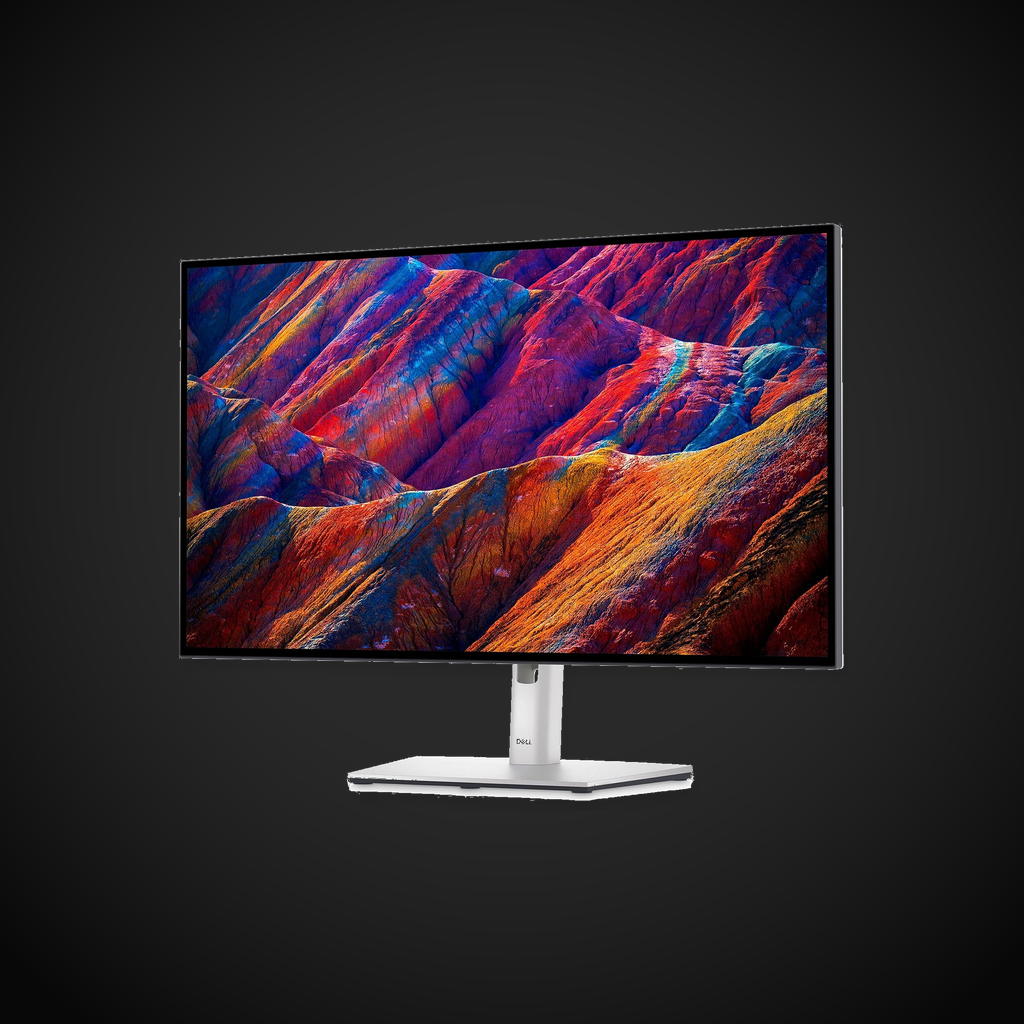
We may earn a commission from links on this page Learn more
At no additional cost to you. As an Amazon Associate we earn from qualifying purchases; we also participate in the eBay Partner Network (EPN). See our full disclosure.
The Dell U2723QE is the benchmark for productivity monitors in 2026.
users seeking the vibrant color accuracy and smooth refresh rates of the Dell U2723QE
your current display meets your resolution and refresh needs, making the Dell U2723QE redundant
Prices last checked July 22, 2026
Overview
The Dell U2723QE is a 27-inch 4K USB-C hub monitor built around LG’s IPS Black technology. It offers a 2000:1 contrast ratio - double that of conventional IPS panels - while maintaining the wide viewing angles and color accuracy that creative professionals demand. With a built-in KVM, 90W USB-C power delivery, and a comprehensive connectivity suite, it is one of the most versatile productivity monitors on the market.
Design & Build
Dell’s UltraSharp lineup has always been known for excellent build quality, and the U2723QE continues that tradition. The monitor has a professional matte black finish with a thin bezel on three sides. The stand is fully ergonomic with 150mm height adjustment, -5 to 21 degrees tilt, +/- 45 degrees swivel, and 90-degree pivot for portrait mode. VESA 100x100 mounting is supported. The entire assembly feels substantial and well-constructed with minimal wobble.
Performance
The standout feature is the IPS Black panel, which achieves a native contrast ratio of 2000:1 - double the 1000:1 typical of standard IPS monitors. This results in noticeably deeper blacks and better perceived image depth, especially in dimly lit environments. The 400 cd/m² brightness is adequate for most office environments, and the anti-glare coating is effective at managing reflections.
Color accuracy is outstanding straight out of the box. Dell factory-calibrates each unit, and our testing showed Delta E values well under 2.0. The panel covers 100% sRGB, 100% Rec 709, and 98% DCI-P3, making it suitable for photo editing, video production, and design work. The 4K resolution at 27 inches gives a sharp 163 PPI pixel density that makes text look crisp and detailed.
The 60Hz refresh rate is standard for a productivity monitor. Response time is 5ms GTG in fast mode and 8ms in normal mode. While not designed for competitive gaming, it is perfectly usable for casual gaming. The monitor does not support variable refresh rate.
Features
The USB-C hub implementation is top-tier. The USB-C upstream port delivers 90W of power delivery, enough to charge most laptops. There is a second USB-C downstream port with 15W charging, four USB 3.2 Gen 2 Type-A ports, a USB-A port with Battery Charging 1.2, DisplayPort 1.4 input and output for daisy-chaining, HDMI, and a 1GbE RJ45 Ethernet port. The auto-KVM feature detects which input you are using and switches the connected peripherals accordingly, which works seamlessly in practice.
Pros
- IPS Black panel delivers 2000:1 contrast, noticeably better than standard IPS
- Excellent factory color accuracy with wide DCI-P3 coverage
- Comprehensive USB-C hub with 90W power delivery
- Fully ergonomic stand with height/pivot/swivel/tilt
- Built-in KVM makes multi-computer setups seamless
- RJ45 Ethernet eliminates need for dongles
Cons
- 60Hz refresh rate limits gaming appeal
- No built-in speakers
- Premium pricing compared to standard IPS competitors
- Backlight uniformity could be better on some units
- No HDMI 2.1 (HDMI 2.0 only)
Verdict
The Dell U2723QE is the benchmark for productivity monitors in 2026. The IPS Black technology delivers a meaningful improvement in contrast that makes it stand out from the crowd. If you spend your workday in spreadsheets, documents, and design applications and want a monitor that doubles as a docking station, this is an easy recommendation.
Sources
Technical Specifications
How We Scored This Product
Every product on ComfyTechCheck is scored on a 1 to 10 scale across four criteria. Each criterion is weighted differently depending on the product category to reflect what matters most to real buyers.
- Performance & Capabilities 40% Speed, accuracy, quality of output in its category.
- Build & Design Quality 30% Materials, construction quality, durability, form factor.
- Consumer Value 20% Price-to-performance ratio relative to direct competitors.
- User Experience 10% Ease of setup, daily usability, comfort, ergonomics.
Scores are assigned by our editorial team after hands-on testing or extensive research using verified user reports, expert analysis, and technical specifications. For the full weight breakdown by category, visit our How We Rate page.