ASUS ZenBook 14 OLED Review: 8.7/10 - OLED Excellence on a Budget
We may earn a commission from links on this page Learn more
At no additional cost to you. As an Amazon Associate we earn from qualifying purchases; we also participate in the eBay Partner Network (EPN). See our full disclosure.
The ASUS ZenBook 14 OLED offers the best display in its price range by a wide margin.
professionals and students who want a premium, portable laptop like the ASUS ZenBook 14 OLED for daily productivity
you need a desktop workstation or cannot justify the $1099 cost of the ASUS ZenBook 14 OLED
Prices last checked July 22, 2026
Overview
The ASUS ZenBook 14 OLED (UX3404) delivers one of the best displays on any laptop under $1,500, pairing a gorgeous 2.8K OLED panel with Intel 13th Gen P-series processors in an impossibly slim chassis. Starting at just $1,099, it’s a compelling choice for creative professionals and media consumers who prioritize screen quality above all else.
Design & Build
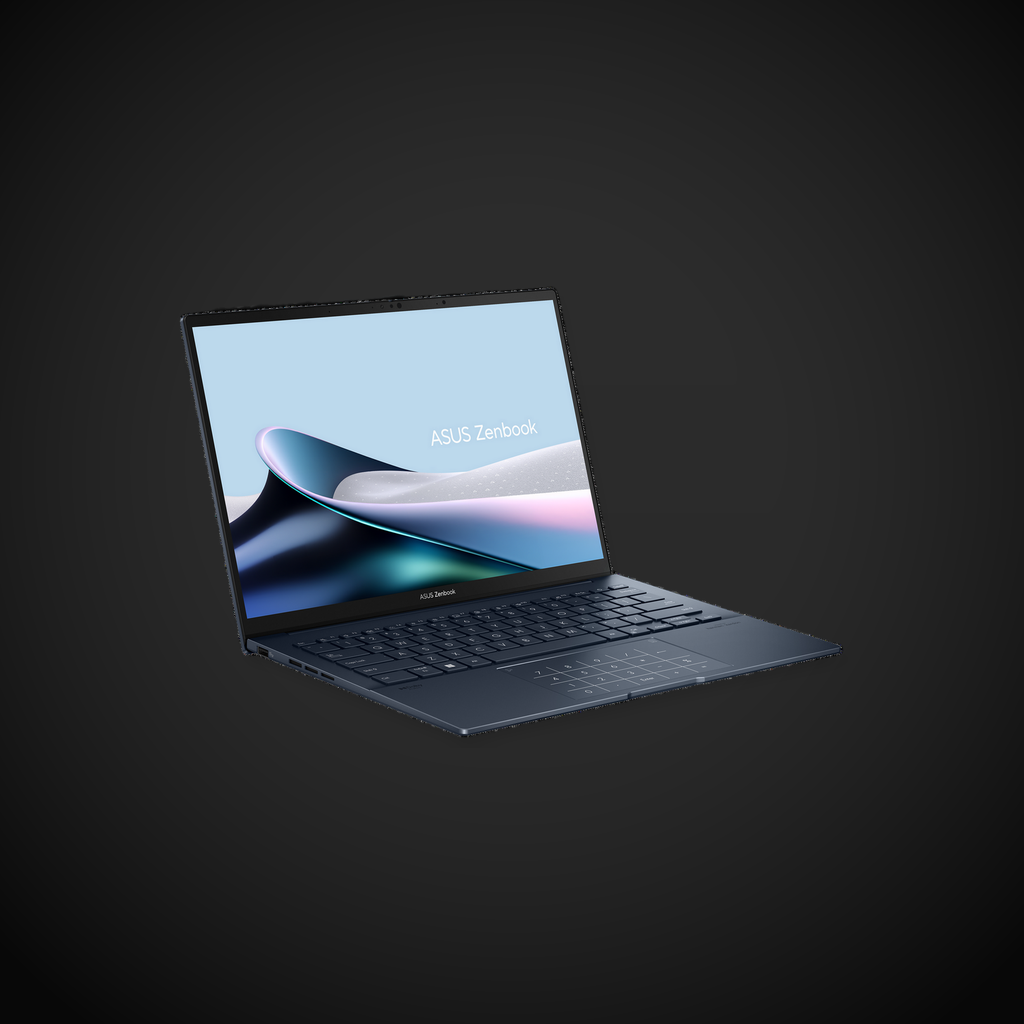
The ZenBook 14 OLED is strikingly thin at 0.67 inches and light at 2.62 pounds (1.19 kg). The all-aluminum chassis with ASUS’s signature concentric circle finish (now subtly embossed) looks premium and feels solid, though there’s slightly more flex in the lid than the MacBook Air or ThinkPad X1 Carbon. The ErgoLift hinge tilts the keyboard deck at a comfortable 3-degree angle for improved typing ergonomics and better thermals. It opens 180 degrees flat for sharing content.
Performance
Intel’s 13th Gen Core i5-1340P or i7-1360P processors (14 cores, 20 threads, up to 5.0 GHz) deliver strong multi-threaded performance, scoring approximately 5,500 in Geekbench 6 multi-core and 12,000 in PCMark 10. The Iris Xe graphics handle casual gaming (1080p Medium in esports titles) and light video editing, but the P-series chips do get warm under sustained load - expect fan noise during heavy workloads.
Display
The undisputed highlight. The 14-inch 2.8K (2880x1800) OLED panel is stunning: 100% DCI-P3 and sRGB coverage, 600 nits peak brightness, a 1,000,000:1 contrast ratio, and a silky 120Hz refresh rate. VESA DisplayHDR True Black 600 certification means HDR content looks incredible. Colors are punchy and accurate right out of the box, with Pantone validation for creative work. This display punches well above its price class.
Battery Life
The 75Wh battery is generous for a 14-inch ultrabook. Real-world mixed usage delivers 8-10 hours; adjusting the OLED panel to darker themes can extend this to 11-12 hours. The 65W USB-C charger provides quick top-ups. Battery life is good but not class-leading - the power-hungry OLED panel and P-series processors take their toll.
Keyboard & Trackpad
The full-size keyboard offers adequate 1.4mm key travel with a snappy, tactile feel. Backlighting is even across three brightness levels. The ASUS NumberPad 2.0 - an LED numeric keypad built into the trackpad - is a clever productivity boost for spreadsheet users. The large glass trackpad itself is smooth with Precision drivers for accurate gesture control.
Ports & Connectivity
A solid selection: 1x Thunderbolt 4 (USB-C), 1x USB-C 3.2 Gen 2, 1x USB-A 3.2 Gen 2, HDMI 2.1, a 3.5mm audio jack, and a microSD card reader. Wi-Fi 6E and Bluetooth 5.3 are standard. The Thunderbolt port can drive up to a 6K external display.
Pros
- Absolutely gorgeous 2.8K 120Hz OLED display
- Excellent value starting at $1,099
- Slim and lightweight design at 2.62 lbs
- Good port selection with HDMI 2.1
- Clever NumberPad trackpad feature
Cons
- P-series chips run hot and fans audible under load
- Battery life trails M-series MacBooks by hours
- Lid flex is noticeable
- No full-size SD card slot
- Soldered RAM cannot be upgraded
Verdict
The ASUS ZenBook 14 OLED offers the best display in its price range by a wide margin. If you edit photos, watch movies, or simply appreciate vibrant, accurate colors, this laptop delivers an experience that rivals machines costing twice as much. The battery life and thermal trade-offs are real, but for $1,099, the ZenBook 14 OLED is a phenomenal value for anyone who prioritizes screen quality.
Sources
Technical Specifications
How We Scored This Product
Every product on ComfyTechCheck is scored on a 1 to 10 scale across four criteria. Each criterion is weighted differently depending on the product category to reflect what matters most to real buyers.
- Performance & Capabilities 40% Speed, accuracy, quality of output in its category.
- Build & Design Quality 30% Materials, construction quality, durability, form factor.
- Consumer Value 20% Price-to-performance ratio relative to direct competitors.
- User Experience 10% Ease of setup, daily usability, comfort, ergonomics.
Scores are assigned by our editorial team after hands-on testing or extensive research using verified user reports, expert analysis, and technical specifications. For the full weight breakdown by category, visit our How We Rate page.